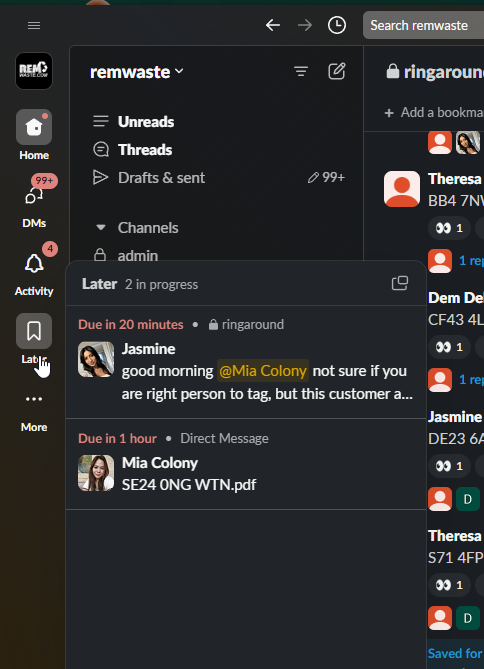
Using Slack’s Built-in Command
- Open Slack: Launch Slack on your desktop or mobile device.
- Enter a Channel or Direct Message: Navigate to the channel or direct message where you want to set the reminder.

3. Select remind me about this and then set the time 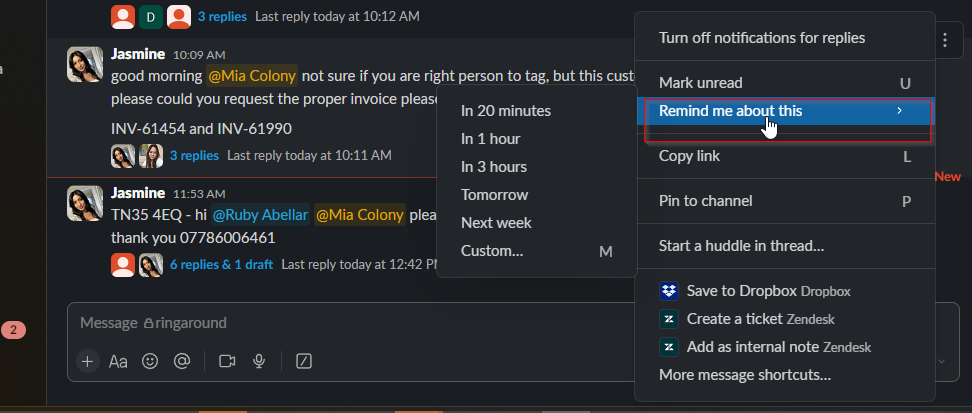
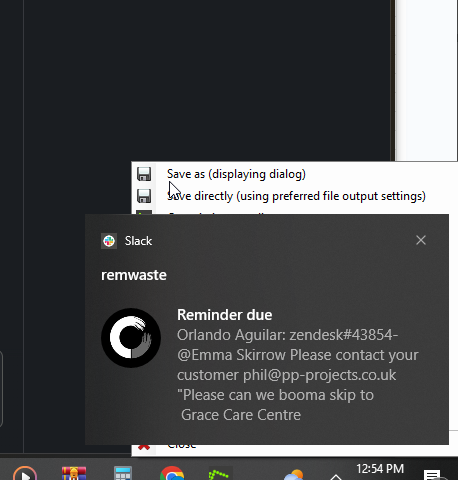
4. You will receive a notification once reminder is DUE.
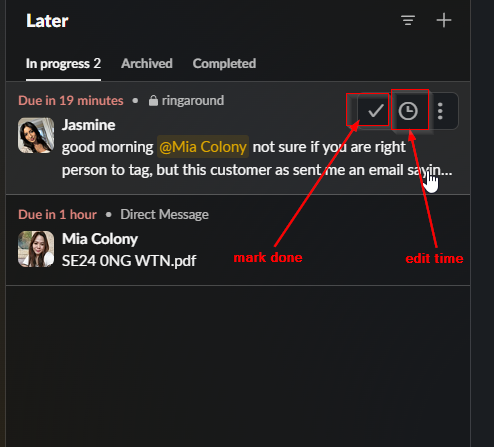
5. . Manage Reminders. Go to your “Later Tab and mark it done or if you wish to edit the time.”